
 OneVerbaComing soon
Learn words while you’re looking at your phone anyway.
OneVerba shows you new words on your lock screen, in a widget and as a quick question before an app you chose opens.
One word before Instagram and TikTok. Scrolling turns into reviewing.- DEGerman
- ESSpanish


No account. No ads. Words from A1 to C1.
One word. Then Instagram opens.
Included in the free version.The reflex of checking social media turns into a quick review. Sometimes the card asks for the translation, sometimes the other way round, sometimes for the article: der, die or das.
- You pick the apps. The card only appears there, and only once you turn it on.
- Any answer lets you through. After a mistake you briefly see the right answer, then the same word comes once the other way round. Never more than two cards.
- A pause between cards and a daily limit. You can skip on every card and turn it off with one tap.
Three places you look at anyway.
You don’t have to sit down to study. The words come to where your eyes land dozens of times a day.
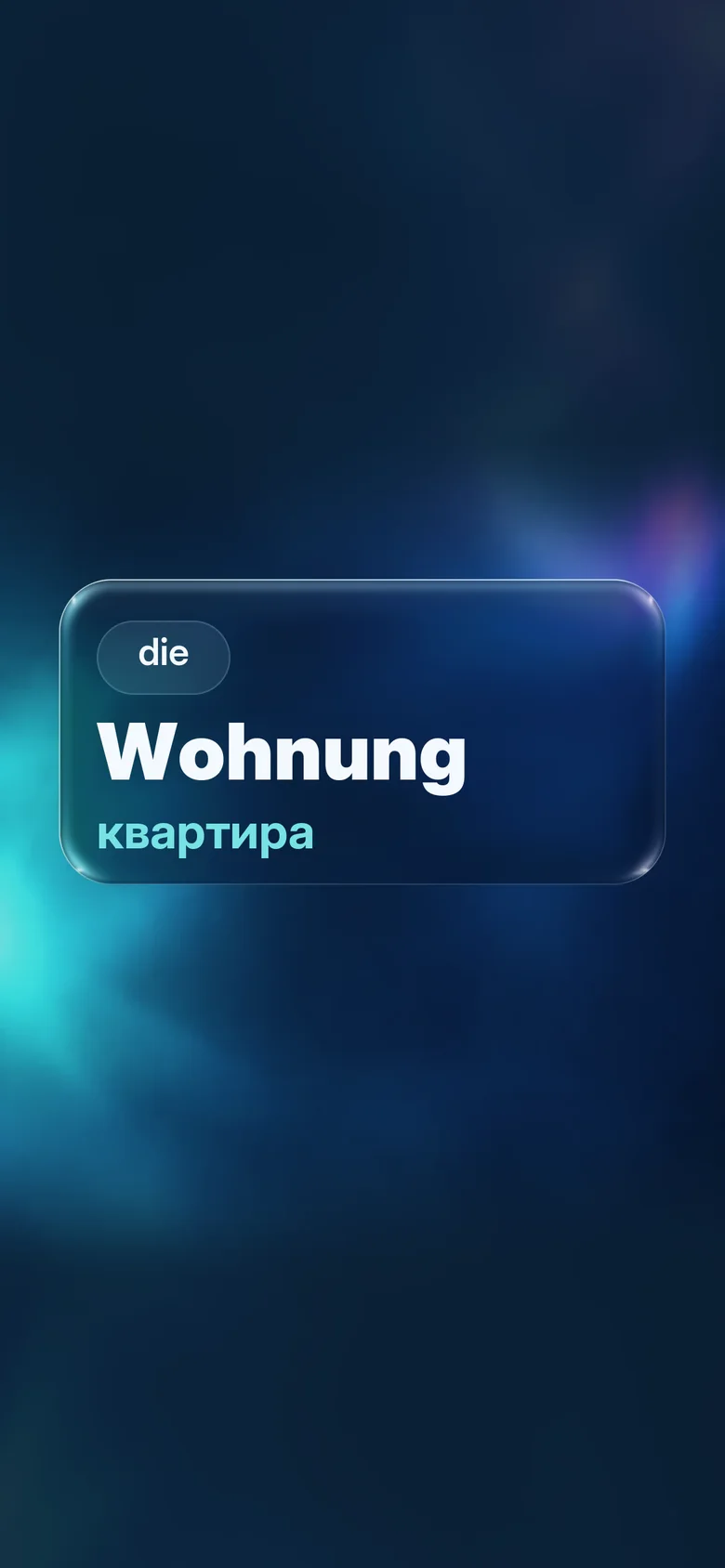
Lock screen
One to three words of the day take turns, every two hours by default. Check the time and you see a word.
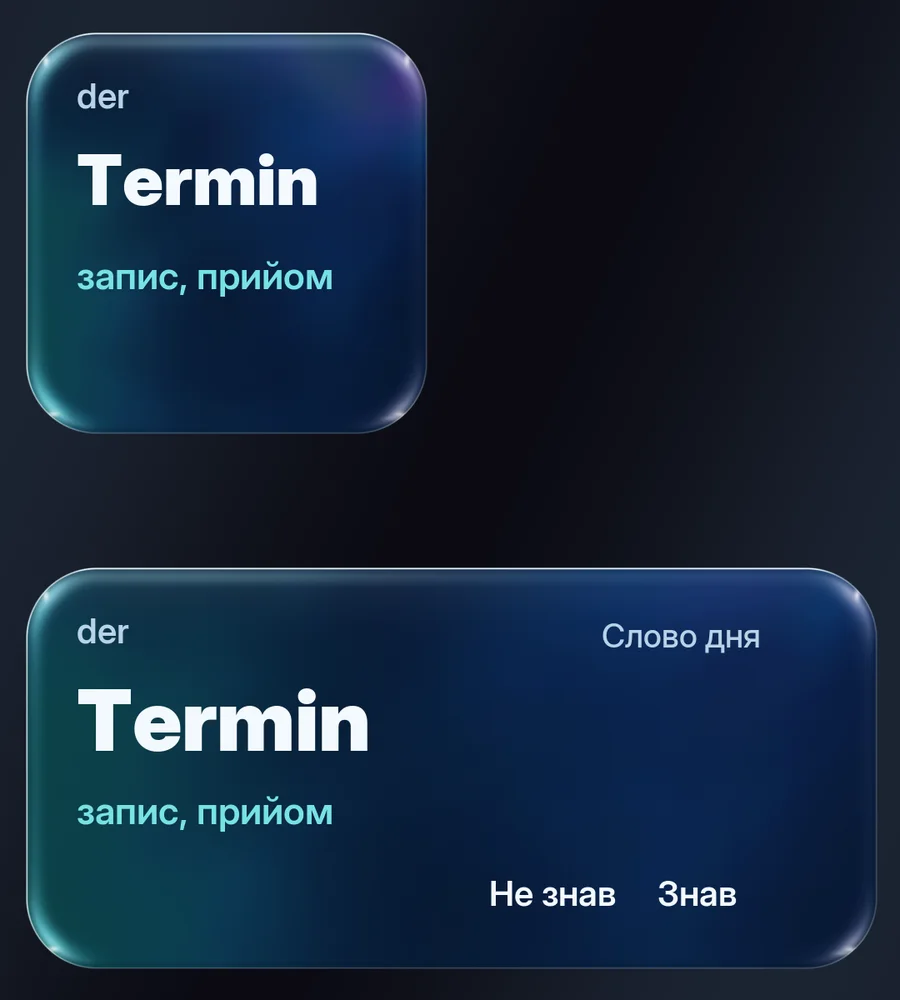
Widget
In three sizes. In the medium one you tap “Knew it” or “Didn’t know” right away, the large one shows three words, progress and your streak.
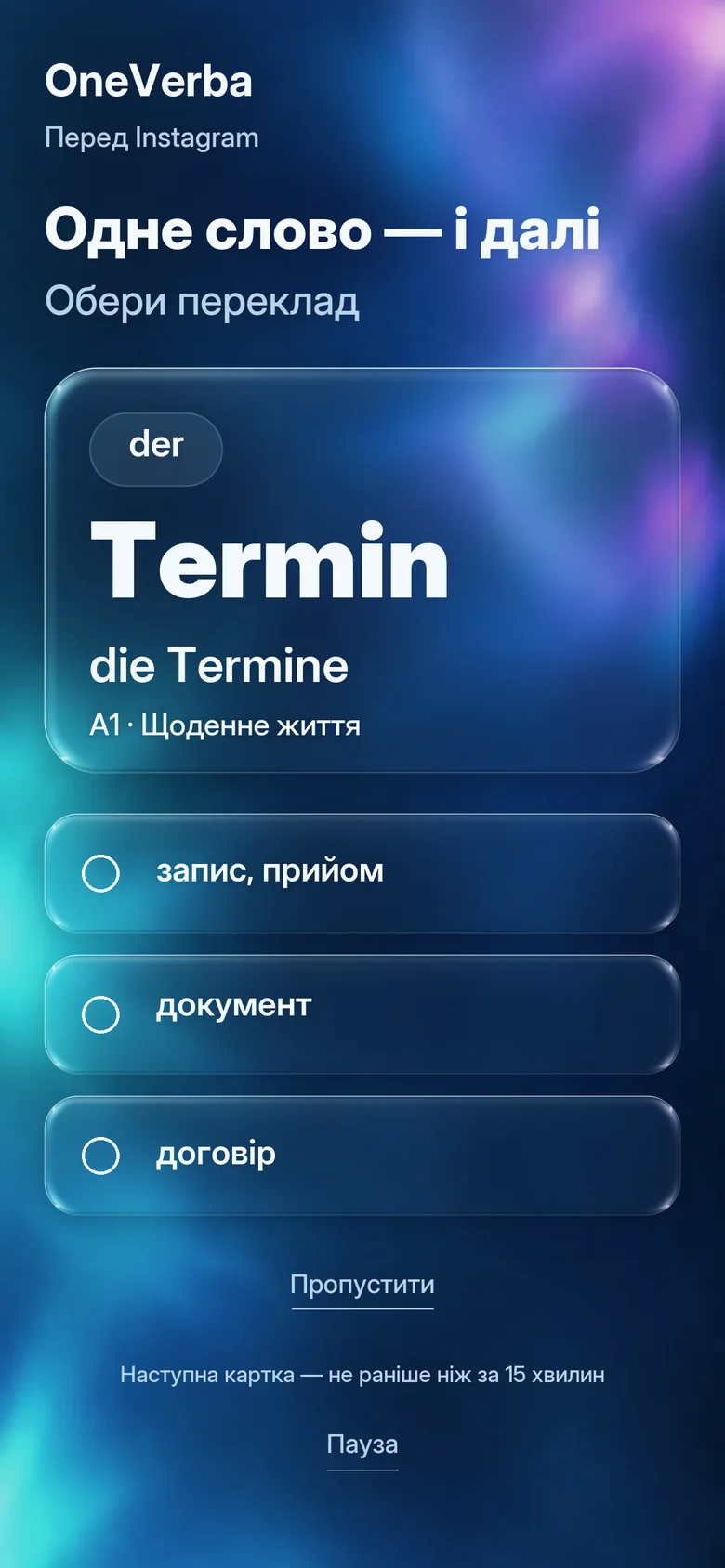
Before your apps
You pick the apps, for example Instagram, TikTok or Threads. Before one of them opens, a card appears. Any answer lets you through.
The screenshots show the app with German as the learning language and a Ukrainian interface.
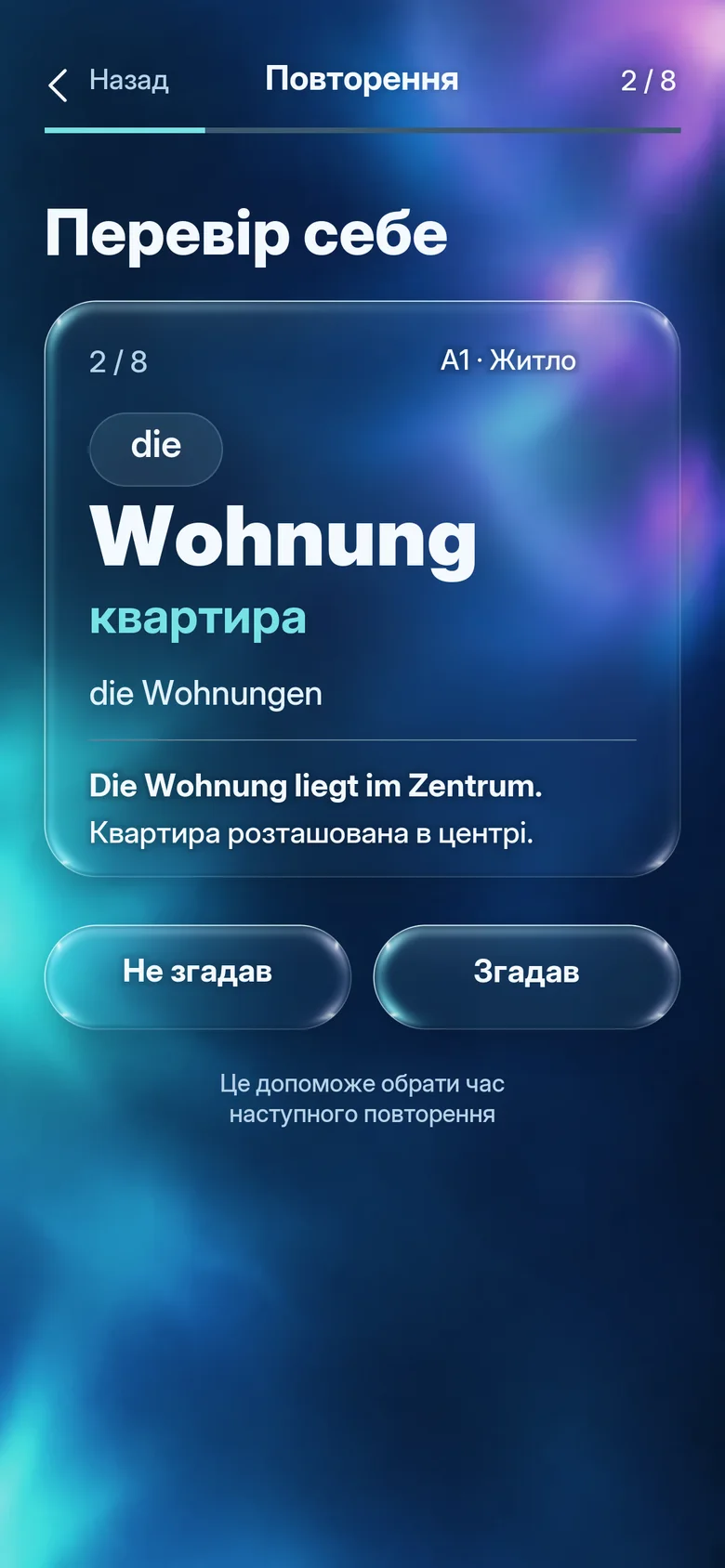
In the app: guess first, then read.
OneVerba doesn’t just show you a new word. First you pick from four translations, then you see the plural and an example. That way more of it sticks.
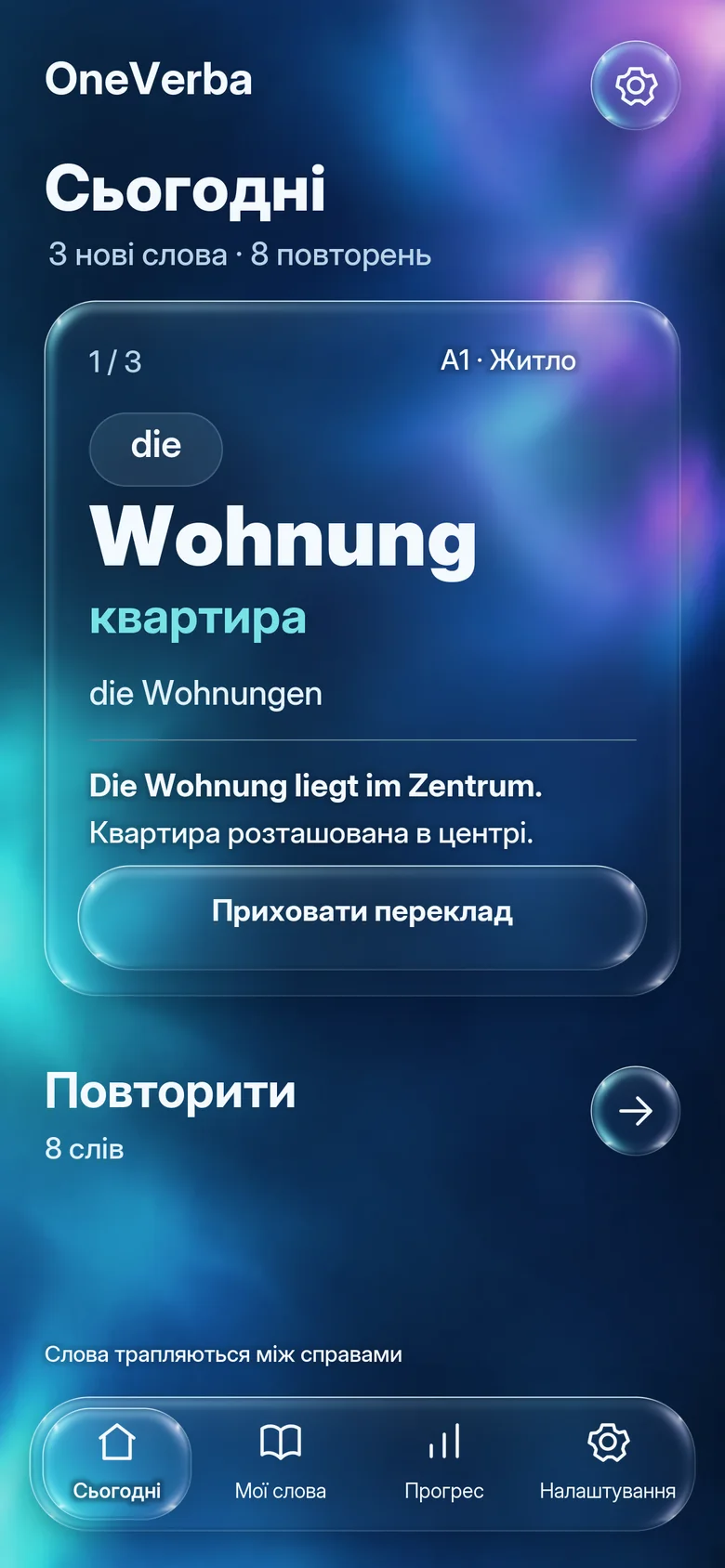
- Today
- The new words of the day. You move on yourself, nothing jumps ahead on its own.
- Review
- What you didn’t know comes back sooner, what you know comes back less often. Reviewing is always free.
- My words
- Your own words with article, plural and example. They also show up on the lock screen and before your apps.
- Progress
- How many words you know, your streak and a card to share if you like.
- Reminders without pressure
- After five quiet days a gentle message with a real word, then at most every three days.
- Background
- A calm, slowly moving glass design. With Pro you can use your own photo.
Everyday words, not textbook words.
German and Spanish from A1 to C1: every card with plural, an everyday example and the article. The German set is often about life in Germany: flat, appointment, doctor, ID card.
- Article and plural
- With every noun. The article sits large above the word, so der, die, das or el, la stick with it.
- Verbs
- Three forms, for example geht · ging · ist gegangen or trabaja · trabajó · ha trabajado.
- Example
- A short everyday sentence that also fits into the widget.
- Your own words
- The word from a letter from the authorities or from your favourite show you add yourself.
- Everyday life
- Work
- Housing
- Food
- Money
- Shopping
- Transport
- Health
- Authorities
- Appointments
- Education
Your progress stays on your phone.
No account
No sign-up, no email, no profile. Install it and start.
No ads
Not in the free version and not later either.
Only to see which app opens
The accessibility service doesn’t read any text, input or messages.
Start for free.
Free
- Level A1 in German and Spanish
- Up to 5 new cards a day, unlimited reviews
- Up to 50 of your own words
- Lock screen, widgets and the card before apps
Pro · Monthly
- A2 to C1 in German and Spanish, no extra charge per language
- More than 5 new cards a day
- Unlimited own words
- Your own photo as background
Pro · Yearly
2 months free- Everything in Pro
- Pay once a year
- Cancel yearly
Prices include 19% VAT. Payment through Google Play or the App Store, cancel there at any time.
Good to know
Who is OneVerba for?
For anyone who wants to pick up a language on the side without setting time aside for it. In the app you choose which language you learn and which language you see the translations in. The app itself is available in eight languages.
Does it replace a language course?
No. OneVerba takes care of words. Grammar and speaking are better practised in a course or in conversation.
Do I need internet?
Not for learning. All cards are built into the app.
When will the app be out?
On Android and iPhone at the same time. There is no date yet.
Can I turn off the card before apps?
Yes, with one tap. It only appears before apps you picked, and only after you have given it the permissions it needs.
Coming soon to Android and iPhone.
Made by WebBrandStudio.